
General information
Many assignments in the courses on the Algorithmics learning IT platform use an auto-check feature.
For the auto-check system to accept a solution, it is essential to fully follow the conditions and formatting specified in the task description.
If you are confident that your solution is correct but the auto-check does not validate it as completed, there are several necessary steps to diagnose the issue and find the correct solution.
Verifying the correctness of the assignment
First, check the following points:
Make sure the auto-check has been activated by clicking the "checkmark" button. The auto-check algorithm only runs in this case.

All requirements listed in the task description have been fulfilled.
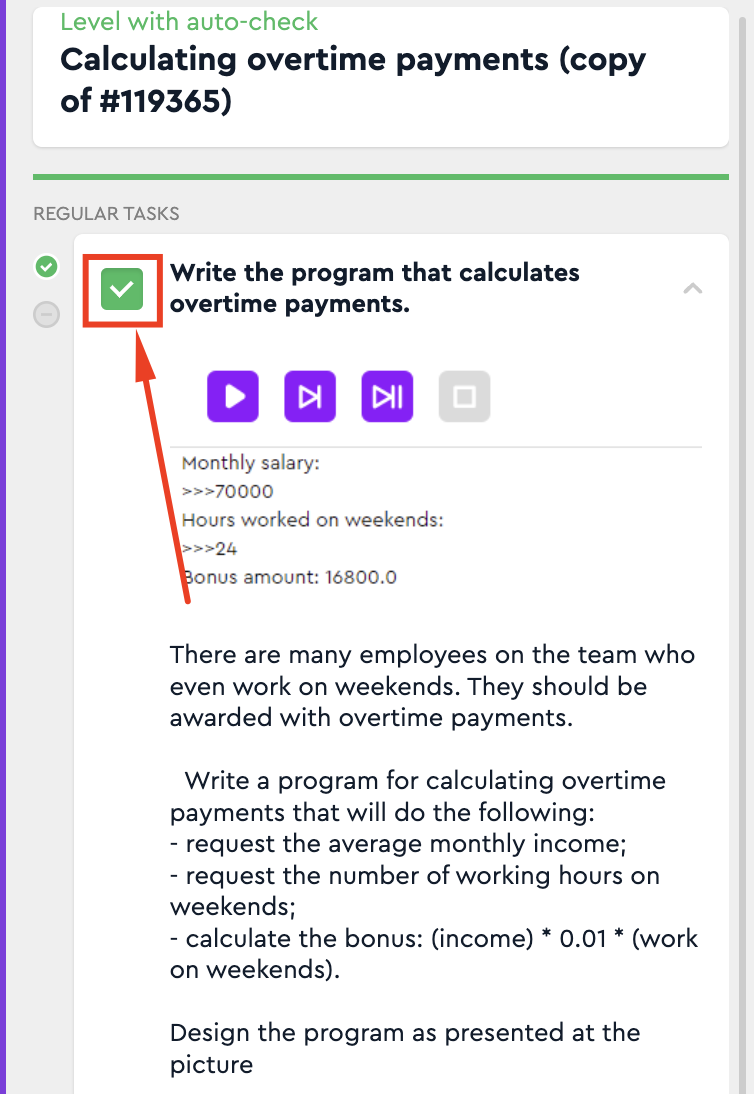
The characters entered in the answer fields do not contain extra spaces.
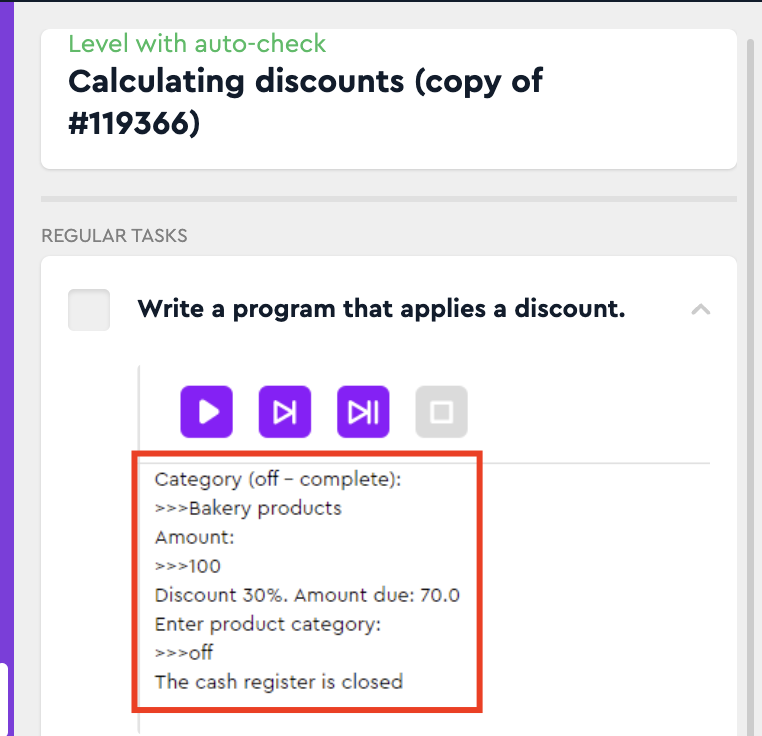
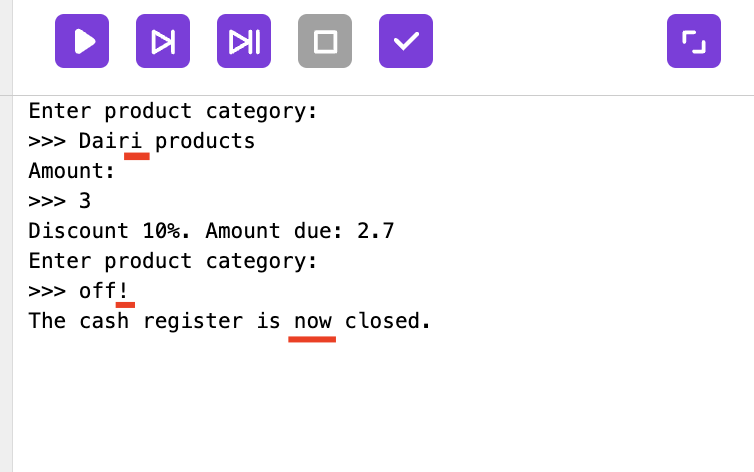
The output of your program exactly matches (character by character) the output provided in the task description. Typos, extra spaces, and character case (uppercase/lowercase) are all important and can cause errors.
What to do if the auto-check still does not accept the solution?
If after careful review you have confirmed that:
The issue is not related to any of the points mentioned above;
You have compared your solution with the reference (if one is provided);
Please contact Algorithmics Technical Support using the communication channel that is most convenient for you.
Case | Required Information |
|---|---|
The issue occurred for a student or currently taking a course. | – The student's login on the learning platform or a link to the student’s profile in the Back Office (LMS) – A link to the assignment containing the final solution – A brief explanation of why you believe your solution is correct (especially relevant for tasks that involve selecting correct options from a list) |
If this information is not initially provided, a support specialist will request it, which may significantly delay the resolution time.
Please note that technical support specialists are not allowed to give hints or ready-made solutions to assignments — either to students or to teachers.
The support team can only assist in cases involving ambiguities, technical issues, errors, and/or bugs on our side.